Blocky Hoops
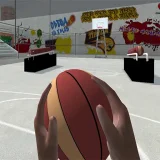
📝 About Blocky Hoops
🎮 How to Play & Controls
Keyboard 1 player W A S D move Space shoot hold then release in the green zone for the best shot Shift use your skill steal or block when you don rsquo t have the ball E pass Mouse click on a teammate pass to them Esc menu Keyboard 2 p
Game Details & Supported Devices
- Provider
- gamemonetize
- Technology
- HTML5 (No Download)
- Supported Devices
- Desktop, Chromebook, Mobile & Tablet Browser
- Plays
- 1
- Input Methods
- Mouse, Keyboard
- Players
- 2 Player Games
🎯 Categories
🎮 Similar Games to Blocky Hoops










❓ Frequently Asked Questions About Blocky Hoops
Is Blocky Hoops free to play?
Yes, Blocky Hoops is completely free to play online in your web browser on TopOf.Games with no registration or payment required.
Can I play Blocky Hoops on mobile or tablet?
Yes, Blocky Hoops is built with responsive HTML5 technology and supports mobile browsers on smartphones and tablets as well as desktop PCs and Chromebooks.
Do I need to download or install Blocky Hoops?
No download or installation is needed. Click the Play button above to launch Blocky Hoops directly in Chrome, Safari, Edge, or Firefox.
How do I control Blocky Hoops?
Keyboard 1 player W A S D move Space shoot hold then release in the green zone for the best shot Shift use your skill steal or block when you don rsquo t have the ball E pass Mouse click on a teammate pass to them Esc menu Keyboard 2 p