Qbrix - Brain Twister
📝 About Qbrix - Brain Twister
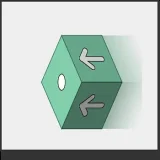
Qbrix presents problems similar to the one found in Rubik's Cube. The best description would be to say, it is a mix between Rubik's Cube and Jigsaw puzzle. Goal of the game is to put together the image which is randomly scrambled at the beginning sequence, while trying to keep the number of moves the smallest possible.
Click PLAY button to start scrambling sequence. With scrambling finished, click on the cube you want to rotate, use arrows to choose a direction and put the image together. There are six different images used randomly, to choose a particular one click the same level a few times until you get the image you want. You can change the level during the game, if it is too difficult, by clicking the MENU button. At the beginning of the game MENU enables switching the interface so you can see the image better. It is good to start with the first level, all cubes are loose there, to see what it is about and then go to more complicated levels.
Game Details & Supported Devices
- Provider
- gamepix
- Technology
- HTML5 (No Download)
- Supported Devices
- Desktop, Chromebook, Mobile & Tablet Browser
- Plays
- 344
- Input Methods
- Mouse
🎯 Categories
🎮 Similar Games to Qbrix - Brain Twister






❓ Frequently Asked Questions About Qbrix - Brain Twister
Is Qbrix - Brain Twister free to play?
Yes, Qbrix - Brain Twister is completely free to play online in your web browser on TopOf.Games with no registration or payment required.
Can I play Qbrix - Brain Twister on mobile or tablet?
Yes, Qbrix - Brain Twister is built with responsive HTML5 technology and supports mobile browsers on smartphones and tablets as well as desktop PCs and Chromebooks.
Do I need to download or install Qbrix - Brain Twister?
No download or installation is needed. Click the Play button above to launch Qbrix - Brain Twister directly in Chrome, Safari, Edge, or Firefox.
How do I control Qbrix - Brain Twister?
You can control Qbrix - Brain Twister using mouse inputs directly inside the game canvas.