Roguelike Platformer
📝 About Roguelike Platformer
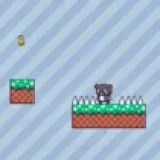
You are an RPG hero, your mission is to conquer the entire basement while trying to destroy the monsters that have been there for a long time, just waiting to ambush you, you also have to be careful of potholes and try not to fall into them.
there's a built-in instruction so feel free to skip this
- WASD/Arrow Keys to move
- Use double jump to get further!
- CLICK to attack + mouse to aim
- DOWN Arrow to interact, jump on launch pads to boost higher.
- SPACE to Dash (use through slime!)
* R to generate new level
* E to toggle editor
* P to pause/unpause
[DEMO MODE] 'Press R to generate new level'
v4 - Integrated shop into normal gameplay area. Improved spawning method. Added death state, made enemies chase you when near. Made starter area (level 0)
v3 - Improved dungeon generation, so that no impossible levels should appear! Added the option for the game to use 'pre-made' rooms instead of generating them. Added new text graphics. Modified health bar graphics and hp handling (still won't die... yet)
Game Details & Supported Devices
- Provider
- gamepix
- Technology
- HTML5 (No Download)
- Supported Devices
- Desktop, Chromebook, Mobile & Tablet Browser
- Plays
- 384
- Input Methods
- Mouse, Keyboard
🎯 Categories
🎮 Similar Games to Roguelike Platformer










❓ Frequently Asked Questions About Roguelike Platformer
Is Roguelike Platformer free to play?
Yes, Roguelike Platformer is completely free to play online in your web browser on TopOf.Games with no registration or payment required.
Can I play Roguelike Platformer on mobile or tablet?
Yes, Roguelike Platformer is built with responsive HTML5 technology and supports mobile browsers on smartphones and tablets as well as desktop PCs and Chromebooks.
Do I need to download or install Roguelike Platformer?
No download or installation is needed. Click the Play button above to launch Roguelike Platformer directly in Chrome, Safari, Edge, or Firefox.
How do I control Roguelike Platformer?
You can control Roguelike Platformer using mouse, keyboard inputs directly inside the game canvas.