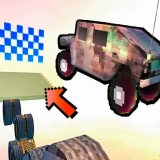
Neo Traffic Rider Championship
📝 About Neo Traffic Rider Championship
🎮 How to Play & Controls
Controls bull A D or Left Right Arrow Steer bull W or Up Arrow Accelerate when Auto Throttle is off bull S or Down Arrow Brake bull Space or Shift Activate boost bull Esc or P Pause or resume bull Mobile Use the on-screen contr
Game Details & Supported Devices
- Provider
- gamemonetize
- Technology
- HTML5 (No Download)
- Supported Devices
- Desktop, Chromebook, Mobile & Tablet Browser
- Plays
- 55
🎯 Categories
🎮 Similar Games to Neo Traffic Rider Championship











❓ Frequently Asked Questions About Neo Traffic Rider Championship
Is Neo Traffic Rider Championship free to play?
Yes, Neo Traffic Rider Championship is completely free to play online in your web browser on TopOf.Games with no registration or payment required.
Can I play Neo Traffic Rider Championship on mobile or tablet?
Yes, Neo Traffic Rider Championship is built with responsive HTML5 technology and supports mobile browsers on smartphones and tablets as well as desktop PCs and Chromebooks.
Do I need to download or install Neo Traffic Rider Championship?
No download or installation is needed. Click the Play button above to launch Neo Traffic Rider Championship directly in Chrome, Safari, Edge, or Firefox.
How do I control Neo Traffic Rider Championship?
Controls bull A D or Left Right Arrow Steer bull W or Up Arrow Accelerate when Auto Throttle is off bull S or Down Arrow Brake bull Space or Shift Activate boost bull Esc or P Pause or resume bull Mobile Use the on-screen contr